Bulk Edit Jira Issues in Seconds
Filter, select, and update any field across hundreds of issues at once. Jira Bulk Edit gives Jira admins the power to mass-edit assignees, statuses, labels, priority, and custom fields -- all from a single screen.
Forge Native Security · Edit 100s of Issues at Once · Safe to Re-run; Cancel anytime

Stop Editing Issues One by One
The Problem:
- Manually opening and editing each issue is slow and error-prone
- JQL filters show issues but don't let you edit them in bulk
- Spreadsheet-based workflows create version control chaos
- Critical updates get delayed because no one has time to click through hundreds of issues
With Jira Bulk Edit:
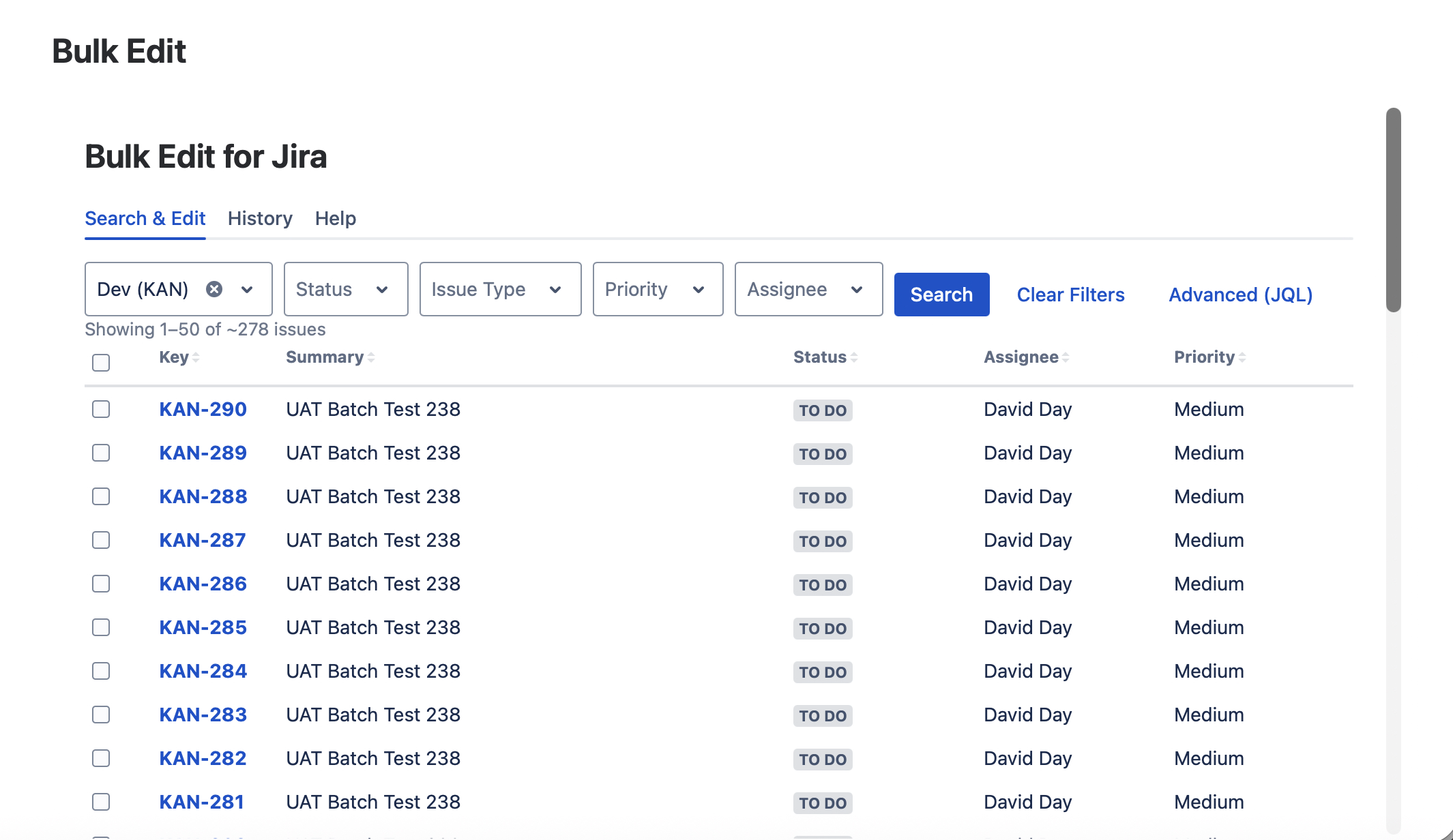
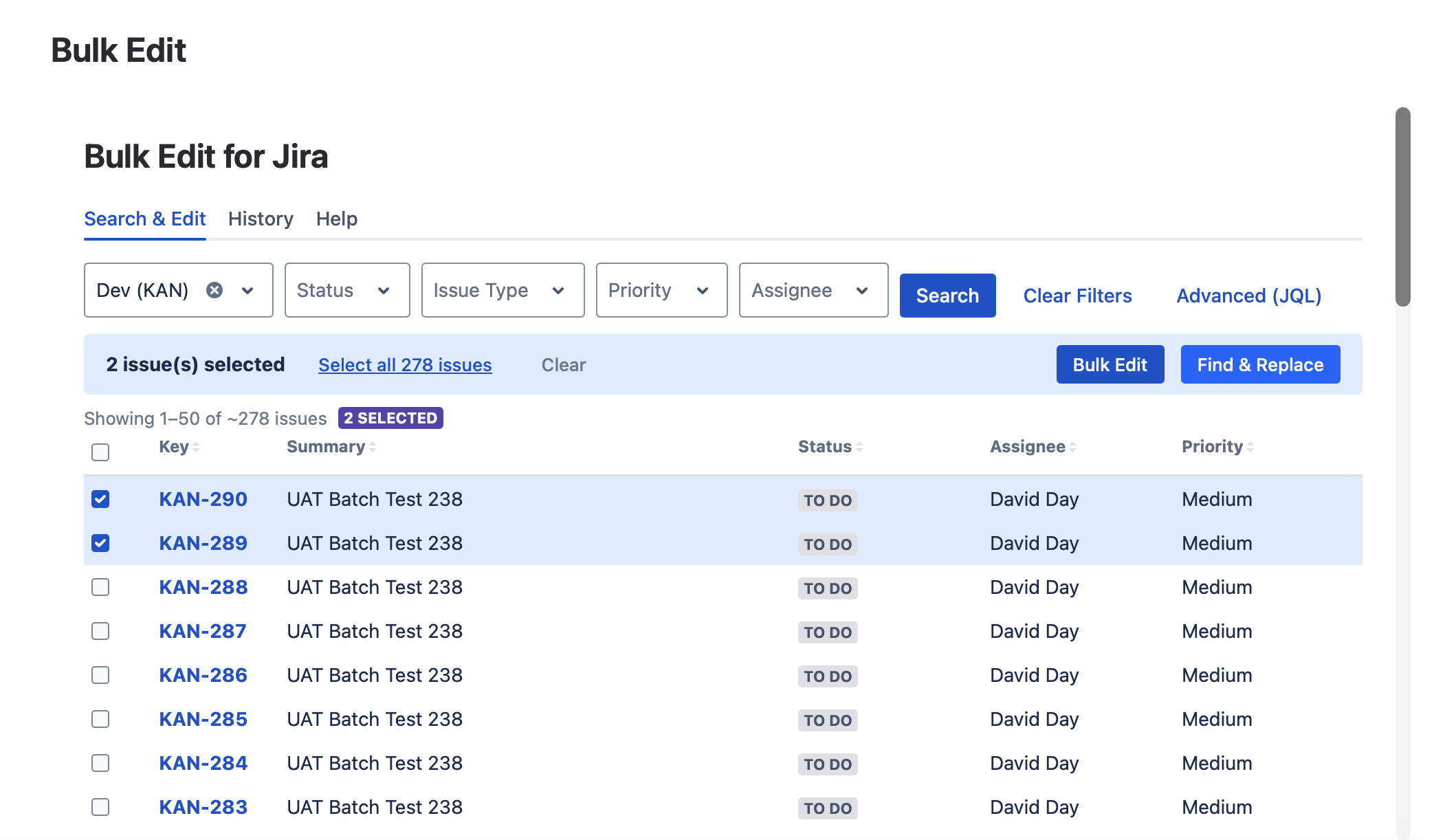
- Select issues via JQL filter or manual multi-select
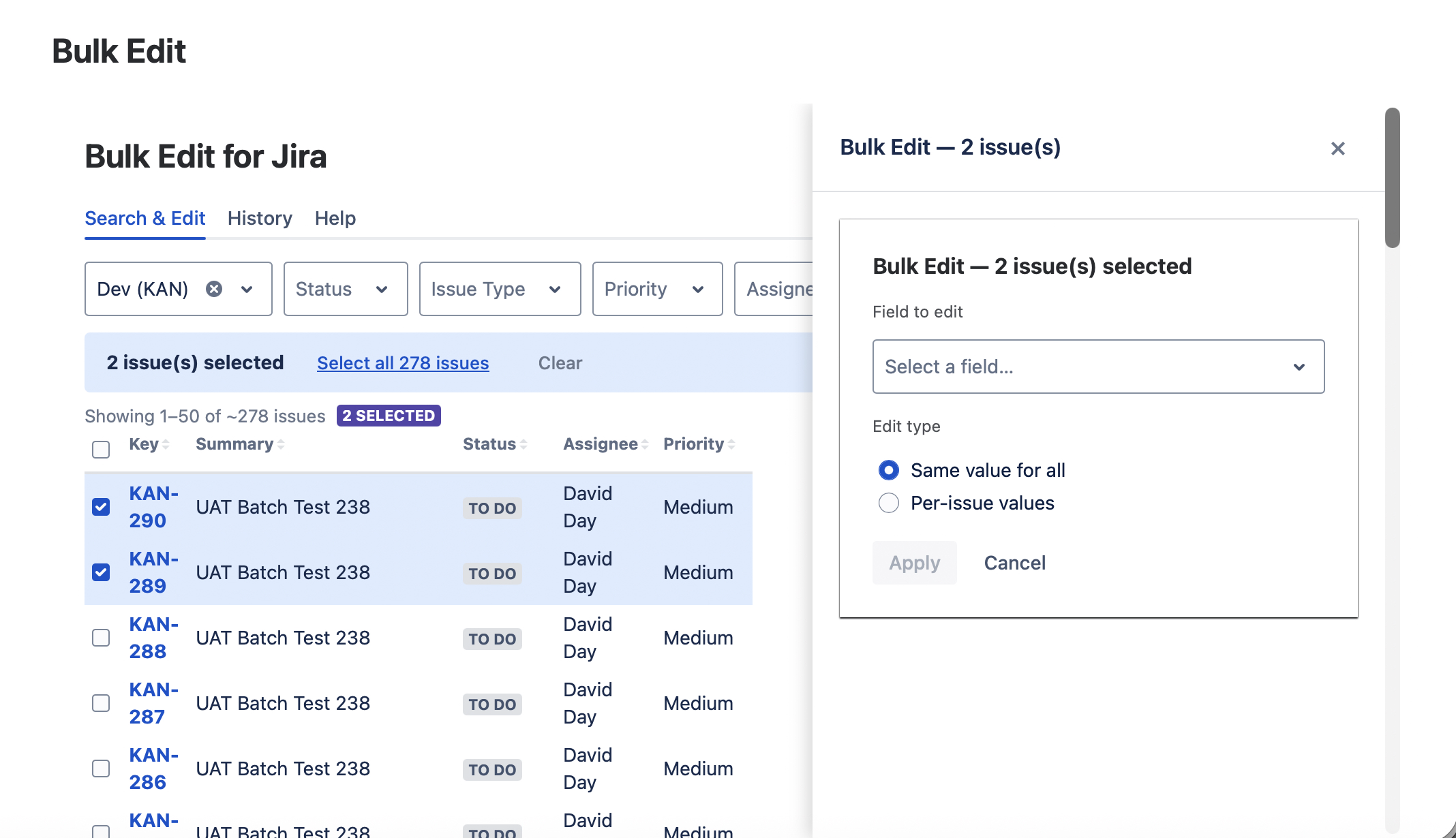
- Bulk update any field: assignee, status, labels, priority, custom fields
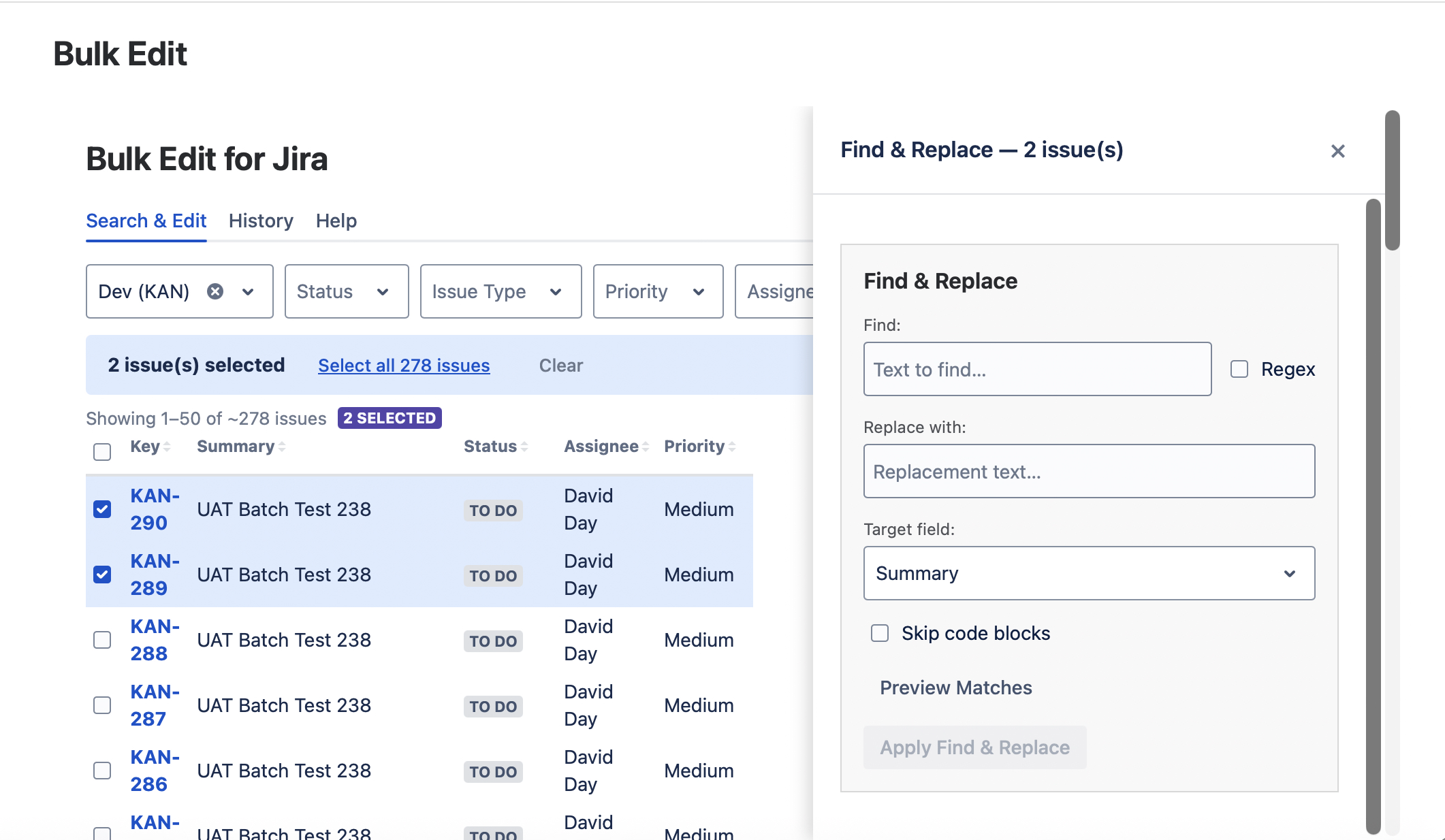
- Preview changes before committing -- see exactly what will be updated
- Batch processing with live progress for large issue sets
Powerful Bulk Editing, Zero Complexity
Six reasons teams trust Jira Bulk Edit
Filter & Select
Use JQL queries or manually select issues to build your target set for bulk editing
Bulk Update Any Field
Update assignee, status, labels, priority, components, fix versions, and custom fields across all selected issues at once
Runs on Atlassian
Built on Forge, all processing inside your Jira Cloud instance. No external servers or data export
Batch Processing
Processes issues in batches with cursor-based pagination and live progress bar. Handles thousands of issues
Preview Before Apply
Review every change before committing. See old values, new values, and affected issue counts
Minimal Permissions
Only two API scopes required: read and write Jira work data. Nothing more
See It In Action
Three simple steps to bulk-edit your issues.
Step 1: Select Issues
Run a JQL query or manually check issues to build your selection set. The table shows issue keys, summaries, and current field values.
Step 2: Choose Fields to Update
Pick which fields to update and set new values. Supports all standard fields plus custom fields. Preview shows old vs. new values for each issue.
Step 3: Apply — and Done
Confirm your changes, watch the live progress bar as batches process. Get a summary report of what was updated.
Built for Safety: Preview every change before applying. Batch processing prevents rate-limit issues. Safe to re-run (idempotent). No data is lost.
Jira Bulk Edit Pricing
Select issues and preview changes for free. View all plans and pricing tiers on the Atlassian Marketplace.
Frequently Asked Questions
Common questions before installing
Get in Touch
We're a small team that actually reads every message.
Business Hours
Mon-Fri, 9 AM - 5 PM PST