Fix Duplicate Fields Left by JCMA Migration
After migrating from Jira Data Center to Cloud, the Jira Cloud Migration Assistant (JCMA) creates duplicate custom fields with a "(migrated)" suffix. Migration Helper detects every duplicate and merges them safely -- no scripting, no data loss.
Zero Data Loss · Forge Native Security · 1s Setup Time; Cancel anytime

JCMA Leaves Duplicate Custom Fields Behind
The Problem:
- JCMA creates copies of every custom field with "(migrated)" suffix
- Multiple migrations create "(migrated 2)", "(migrated 3)", etc.
- User confusion from duplicate fields cluttering boards
- Broken JQL queries and performance degradation from field bloat
With Migration Helper:
- Scans all custom fields and detects "(migrated)" suffix pairs
- Safe merge -- copies migrated values only when original is empty
- Preview every field pair before committing the merge
- Batch processing with cursor-based pagination for thousands of issues
Safe, Automated Duplicate Field Cleanup
Six reasons teams trust Migration Helper
Detect Every Duplicate
Scans all custom fields, detects "(migrated)" suffix pairs, groups by original field name
Zero Data Loss
Copies migrated values into original fields only when the original is empty. Cloud-native data never overwritten
Runs on Atlassian
Built on Forge, all processing inside your Jira Cloud instance. No external servers
Batch Processing
Processes issues in batches with cursor-based pagination and live progress bar. Handles thousands of issues
Preview Before Merge
Review every field pair, safety classification, and affected issue count before committing
Minimal Permissions
Only two API scopes required: read and write Jira work data
See It In Action
Five simple steps to clean up your duplicate fields.
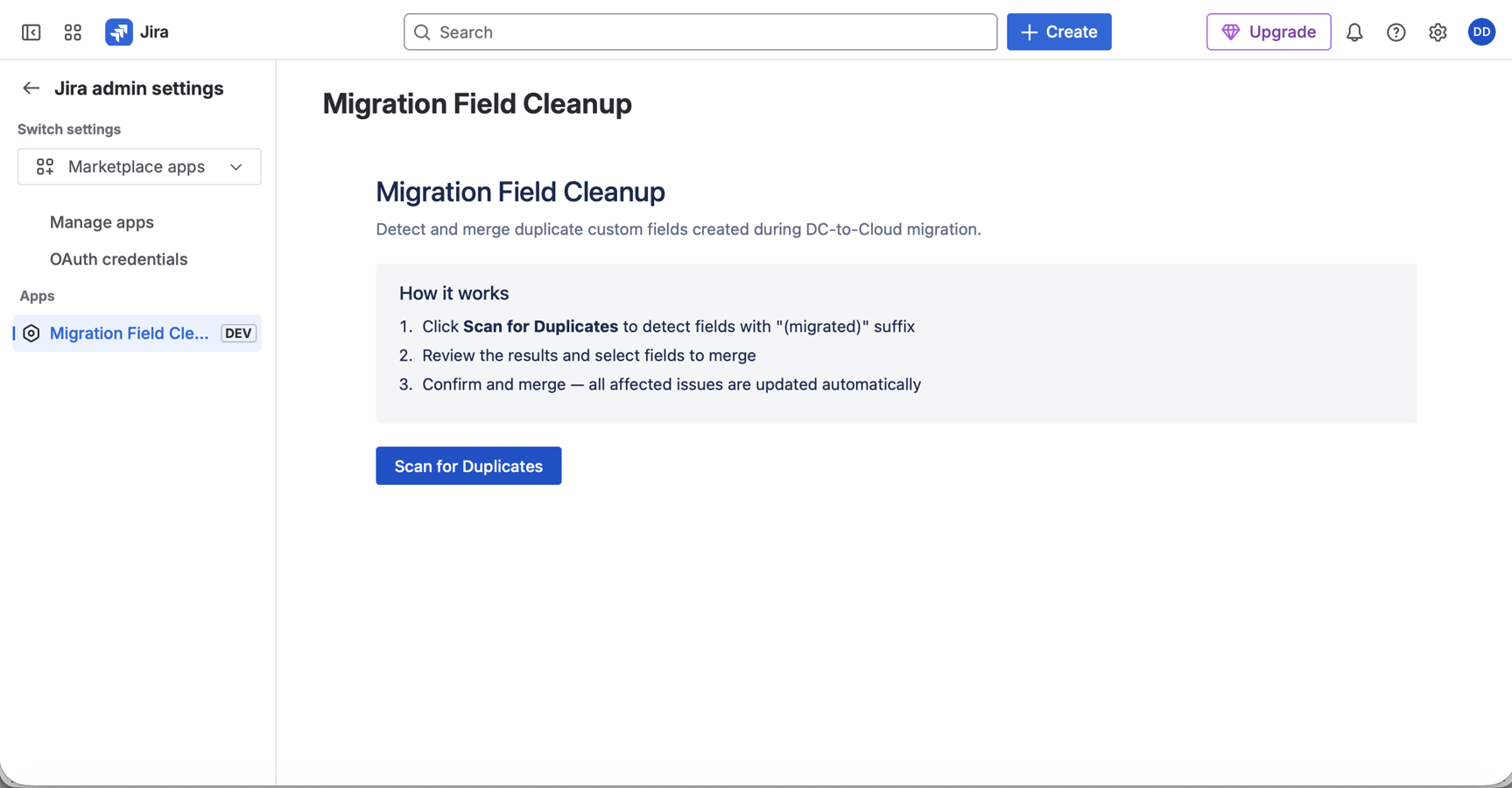
Scan
Click "Scan for Duplicates" to find all duplicate fields.
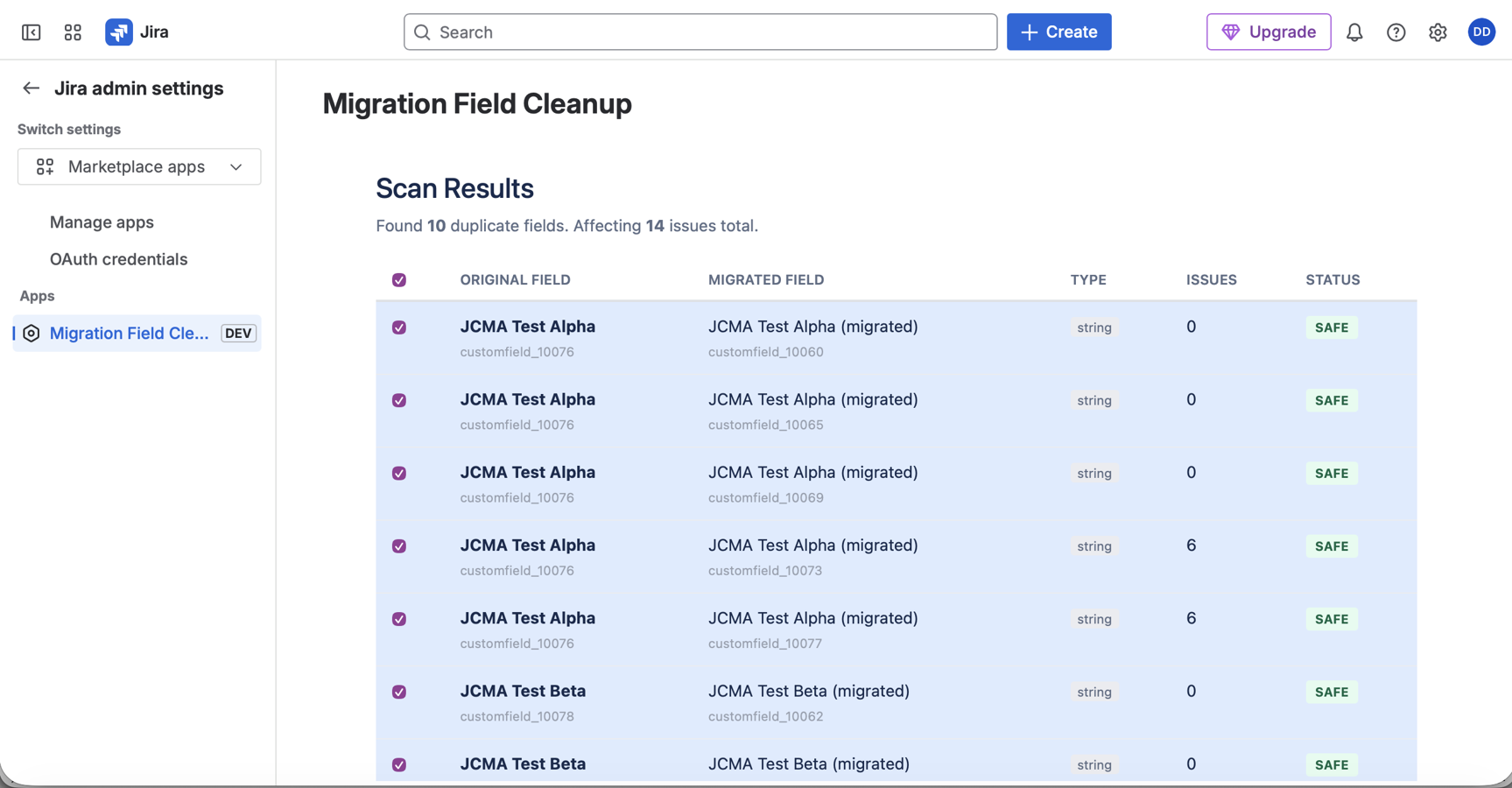
Review
See every field pair, safety classification (SAFE, REVIEW_REQUIRED, CONFLICT), and affected issue counts before committing.
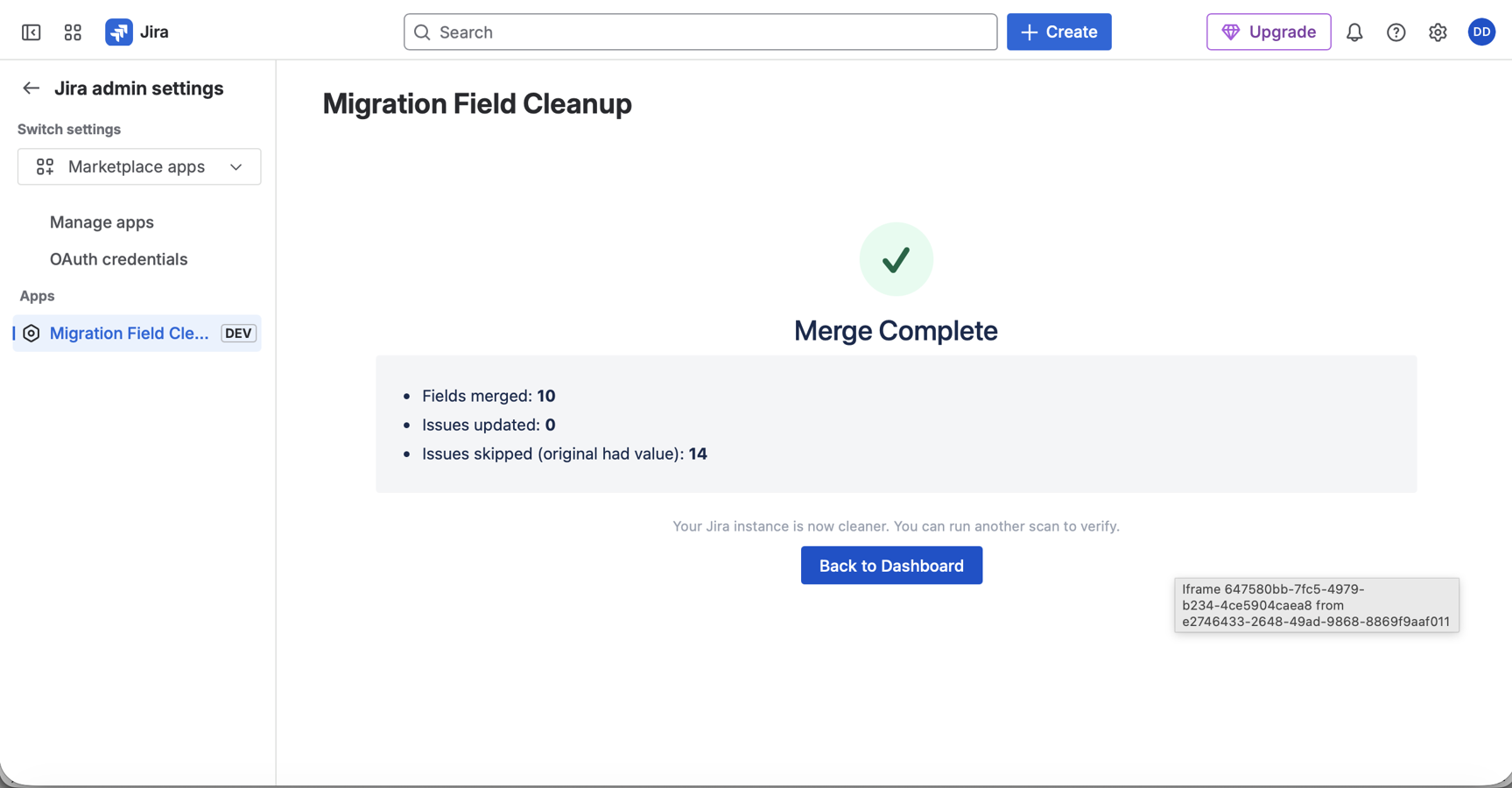
Merge — and Done
Confirm the merge plan, watch the live progress bar as batches process. Re-scan to confirm cleanup is complete.
Built for Safety: Only copies migrated values when original field is empty -- never overwrites. Safe to re-run (idempotent). Preview before merge.
Migration Helper Pricing
Scan for duplicate fields for free. View all plans and pricing tiers on the Atlassian Marketplace.
Frequently Asked Questions
Common questions before installing
Get in Touch
We're a small team that actually reads every message.
Business Hours
Mon-Fri, 9 AM - 5 PM PST